


The short answer and the support framework
Yes, Delta Force does have controller support, but the experience depends heavily on your platform. PC players gained full gamepad functionality through Steam Input after Season 4, console versions launched with native support, and mobile remains limited to a single officially supported controller. That three-way split is exactly why so many answers online contradict each other.
Delta Force supports controllers on PC via Steam Input, natively on consoles, and only through the Backbone One on mobile, so your setup experience ranges from seamless to frustrating depending on where you play.
Does Delta Force have controller support at a glance
Rather than lumping everything into a simple yes or no, it helps to think about Delta Force controller support in three tiers. If the game recognizes your gamepad out of the box, responds to every button, and shows controller prompts in menus, that counts as native support. If the game detects your controller during gameplay but still forces you onto a keyboard for menus or lacks proper button prompts, that is partial support. And if you need third-party software to translate stick inputs into keyboard commands before the game even registers them, you are dealing with emulation. Delta Force currently touches all three categories depending on your platform.
Delta Force native support versus partial support
On console, controllers are the default input method with optimized sensitivity, aim assist, and full UI navigation. PC sits in partial-to-full territory since Season 5 Break, where gameplay works well on a gamepad but menu navigation still requires a keyboard. Mobile is the tightest bottleneck. If you are wondering whether you can use controller on Delta Force mobile, the answer is only with a Backbone One connected physically. Standard Bluetooth Xbox and PlayStation pads are not officially supported on the mobile build.
Compatibility matrix by platform
Here is what each platform looks like right now so you can gauge setup difficulty before diving deeper.

Each of those rows carries its own quirks, and the gap between "detected" and "fully supported" is where most player frustration lives. The sections ahead unpack exactly why reports conflict, what actually works on each platform, and how to tell whether your setup is running on real support or just clever remapping.
Why Delta Force controller support answers often conflict
Search for Delta Force controller support 2025 and you will find confident answers that flatly contradict each other. One thread says full gamepad play works fine, the next insists the game ignores controllers entirely. Neither poster is lying. They are just talking about different things.
Which Delta Force version people mean
Delta Force is not a single product anymore. Team Jade's reboot under Tencent's TiMi group ships as a PC client, a console release on PlayStation and Xbox, and a separate mobile build for iOS and Android. Each version runs on its own update schedule, and controller handling differs significantly across them. Someone praising delta force hawk ops controller support on console is describing a completely different input pipeline than a mobile player asking when is controller support coming to Delta Force on their phone. Strip away the platform context and the answers look like they clash, even though both are accurate for their own version.
Why older posts and newer reports disagree
Delta Force has rolled out gamepad features in stages rather than all at once. A forum post from early access may reflect a build where Steam Input was the only option on PC, while a newer reply could reference native in-game recognition added in a later season patch. Several factors keep this information in constant flux:
- Seasonal updates that add or refine controller features without major announcements
- Platform-specific patches that ship weeks apart from each other
- Differences between the game's own launcher client and the Steam version, which layers Steam Input on top
- Community workarounds, such as third-party remappers, that players describe as "working" even though the game itself does not officially support the setup
- Mobile builds where the OS detects a Bluetooth gamepad but the game never acts on those inputs
Any snapshot of support status ages fast when the game patches every few weeks.
Confirmed limited and unclear status labels
To cut through the noise, it helps to label each claim you encounter. "Confirmed" means the behavior is documented in patch notes, store page descriptions, or official developer statements. "Limited" means the feature exists but carries known restrictions, like PC gamepad play that still forces keyboard navigation in menus. "Unclear" covers anything sourced only from player anecdotes with no official backing, which is where most mobile controller claims currently sit. Keeping those labels in mind makes it much easier to evaluate whether a Reddit thread or video actually answers the question you are asking, or whether it is describing a different platform, a different build, or a workaround dressed up as native support.
That distinction between real support and clever remapping matters most on PC, where Steam Input can make a controller appear to work even when the game itself has no idea one is connected.
Delta Force controller support on PC and what may not work
Steam Input is the bridge that makes delta force controller support pc viable, but a bridge is not the same thing as a front door. The practical difference shapes everything from how your sticks feel in a firefight to whether you can navigate the loadout screen without reaching for a keyboard.
Delta Force PC controller support expectations
True native controller support means the game itself handles your gamepad. It reads stick deflection, maps every button internally, displays controller-specific prompts, and lets you move through every menu with a thumbstick. Delta Force on PC does not fully clear that bar. Gameplay inputs work, aim assist is present, and movement feels responsive once you dial in sensitivity. But the UI layer still leans on keyboard interaction for certain menus and inventory screens. That gap is why some players call delta force pc controller support "full" while others call it incomplete. Both are right, just describing different parts of the experience.
Xbox PlayStation and third party gamepads on PC
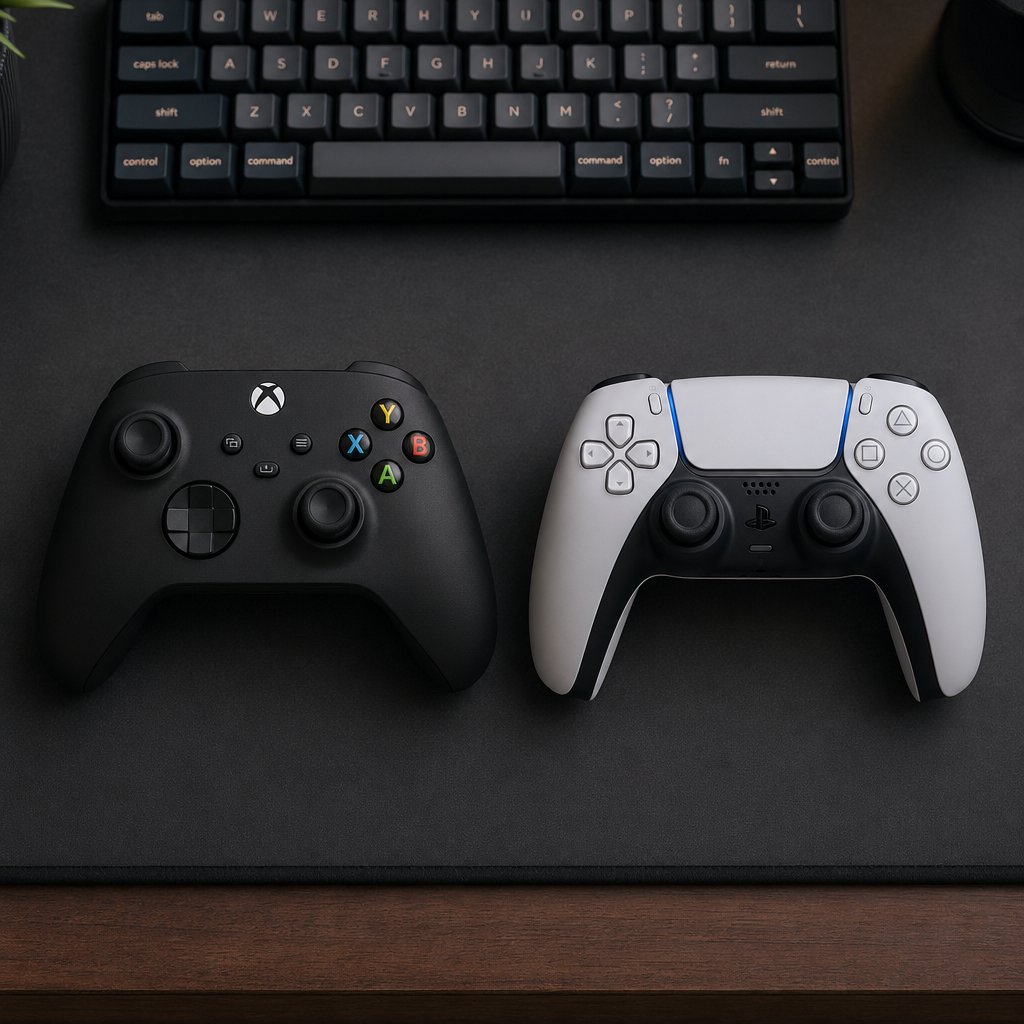
Xbox-style controllers, including the standard Xbox Wireless Controller and third-party XInput pads, tend to have the smoothest path because Steam Input treats them as the default gamepad profile. PlayStation controllers like the DualSense and DualShock 4 also work, though they route through Steam's PlayStation Configuration Support layer, which occasionally adds a frame or two of input latency depending on your connection method. Wired connections are generally more stable than Bluetooth for both families. Third-party gamepads from brands like 8BitDo or PowerA will function as long as Steam recognizes them, but exotic button layouts or extra paddles may need manual rebinding inside Steam's controller configurator. The game's own controller settings menu offers granular sensitivity tuning, deadzone adjustments, and an aim assist toggle, so once your pad is detected, the in-game feel is highly customizable.
Steam Input versus built in controller support
This is the distinction that trips up most players trying to use a delta force controller on pc. Steam Input acts as a translation layer between your hardware and the game. It can make almost any controller appear as an XInput device, remap buttons, and even simulate mouse movement with a right stick. That flexibility is powerful, but it also means the game is not always aware a controller is connected. Button prompts may stay as keyboard icons, haptic feedback may not trigger, and certain quick-time or context-sensitive actions can feel inconsistent. When the game itself handles the input natively, those issues disappear.

The short version: delta force steam controller support works well enough for combat, and the in-game settings give you real control over sensitivity and deadzones. Where it stumbles is the UI seam between gameplay and menus. If you are comfortable toggling to a keyboard for inventory management, the experience is solid. If you want a pure couch-to-screen gamepad session with zero keyboard interaction, you will hit friction that console players never encounter.
That PC-specific friction fades when you shift to mobile, but a completely different set of limitations takes its place.
What to expect from Delta Force mobile controller support right now
Mobile is where the gap between what players hope for and what actually works is widest. If you are searching does delta force mobile have controller support, the honest answer is yes, but only for one specific controller, and only through a physical connection. Everything else falls into unsupported or unconfirmed territory.
Does Delta Force mobile have controller support now
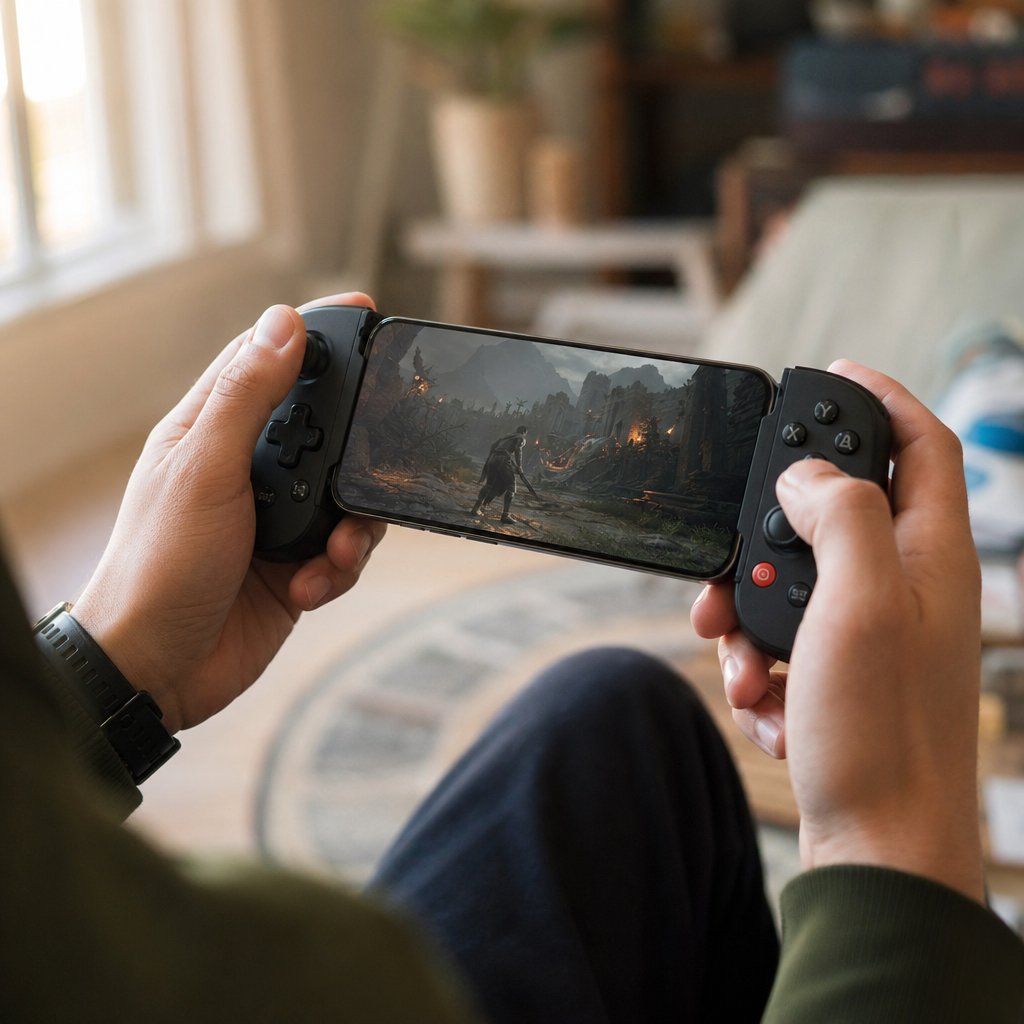
Delta Force Mobile, which launched on April 21, 2025, supports the Backbone One as its sole officially recognized controller. That means a physical Lightning or USB-C connection to your phone, no Bluetooth involved. Standard wireless gamepads from Xbox and PlayStation are not supported on the mobile build, even if your phone pairs with them at the OS level. The game simply does not act on those inputs.
That single-controller limitation is a deliberate design choice rather than a bug. Team Jade built the mobile version around touch-first mechanics, and the Backbone One's direct physical connection sidesteps the latency and compatibility headaches that come with broad Bluetooth gamepad support. Whether that philosophy shifts over time is an open question, but right now the status is clear: Backbone One works, everything else does not.
What works on touch first builds
Because the mobile version prioritizes touch, the entire UI, from menus to in-match HUD elements, is designed for finger input. Controller play through the Backbone One layers on top of that foundation rather than replacing it. A few practical realities follow from this approach:
- Button mapping exists for the Backbone One, but the interface still reflects its touch-first roots in menu layouts and notification pop-ups
- Aim behavior with the Backbone One is functional, though sensitivity tuning options are narrower than what PC or console players get
- Matchmaking does not currently separate controller and touch players into different lobbies on mobile, and mobile cross-play is limited to other mobile players only, not PC or console, according to GameSpot's cross-play breakdown
- Some players report that certain quick-action prompts still default to touch gestures even with the Backbone One connected, which can cause momentary confusion during fast-paced encounters
Is delta force mobile controller compatible in a broad sense? Not yet. The touch-first architecture means that even the one supported controller operates within a system that was not originally built around sticks and buttons.
What to expect before you pair a mobile controller
If you own a Backbone One and plan to use it, the pairing process is straightforward. Snap your phone into the controller, launch the game, and inputs should register immediately since the physical connection bypasses any Bluetooth handshake. There is no in-game toggle to enable or disable controller mode. The game detects the Backbone One and responds.
If you own any other gamepad, the outlook is less encouraging. Your phone's Bluetooth settings may show the controller as connected, and other games might respond to it perfectly, but Delta Force Mobile will ignore those inputs. This is the scenario that generates the most confusion online. Players see their device recognize the pad, assume the game should too, and then blame a bug when nothing happens. It is not a bug. It is an unsupported configuration.

Mobile support status can shift faster than PC or console because app store updates roll out on shorter cycles. Always check the latest patch notes before assuming any mobile controller information, including this article, still reflects the current build.
The Backbone One restriction also raises a device-specific question that the table above only partially answers. Controller behavior can vary not just by gamepad brand but by operating system, screen size, and whether you are playing on a phone, a tablet, or a handheld PC that blurs the line between mobile and desktop input.
How iOS, Android, and handhelds differ for Delta Force controllers
Same game, same controller, different device, different result. That pattern catches players off guard because they expect a gamepad that works on one platform to behave identically everywhere. Delta Force does not operate that way. The operating system, the app build, and the hardware category all influence whether your inputs actually reach the game.
Delta Force iOS and Android controller differences
On paper, delta force iOS controller support and delta force Android controller support look identical. Both platforms officially recognize only the Backbone One through a direct physical connection. Neither accepts Bluetooth gamepads from Xbox, PlayStation, or third-party brands. In practice, though, small differences surface. iOS devices handle MFi (Made for iPhone) controller protocols natively, which means the operating system is more likely to detect and pair a Bluetooth pad at the system level, even though Delta Force itself still ignores those inputs. That OS-level detection is what misleads iPhone owners into thinking the game should respond. Android introduces an extra variable: USB-C implementations vary across manufacturers, so the Backbone One's physical fit and power delivery can behave slightly differently on a Samsung Galaxy versus a Google Pixel. Neither issue is a dealbreaker, but both explain why troubleshooting threads for the same controller diverge depending on the phone in someone's hand.
iPad Backbone and common mobile gamepad scenarios
Players searching whether they can use a controller on iPad for Delta Force often assume tablet hardware means broader compatibility. The logic feels reasonable since iPads support PlayStation and Xbox controllers system-wide through Bluetooth, and many other shooters honor that pairing. Delta Force Mobile, however, applies the same restrictions regardless of screen size. The Backbone One is still the only officially supported option, and most Backbone models are designed to clamp around a phone rather than a tablet. That physical mismatch alone rules out the most common iPad controller scenario. A few workarounds exist in the broader iOS accessory ecosystem, such as Bluetooth-to-Lightning adapters or clip-style mounts, but none of them change the fundamental limitation: the game does not read standard Bluetooth gamepad inputs on any mobile device.
- iPhone with Backbone One: supported, straightforward snap-in connection
- iPhone with Xbox or PS pad via Bluetooth: OS pairs it, game ignores it
- iPad with Bluetooth controller: same as iPhone, no in-game recognition
- iPad with Backbone One: physically awkward due to tablet size, but inputs register if connected
- Android phone with Backbone One (USB-C): supported, though fit varies by device
- Android phone with Bluetooth gamepad: OS pairs it, game ignores it
- Android tablet with any controller: same restrictions as phone builds
Steam Deck and handheld PC considerations
The Steam Deck and devices like the Asus ROG Ally sit in a different category entirely. Even though they are portable, they run the PC version of Delta Force, not the mobile app. That distinction matters because it means delta force on Steam Deck benefits from the same Steam Input pipeline available to desktop players. Pocket Tactics confirmed that a Steam Input workaround enables controller play on the Deck by mapping gamepad inputs through community templates. The process involves enabling Steam Input in the library, selecting a keyboard-and-mouse button layout, and applying a community configuration. It works, but it carries the same menu-navigation friction and occasional prompt mismatches that desktop Steam Input users encounter. The ROG Ally and similar Windows-based handhelds follow the same logic since they are running the full PC client. If you are weighing a handheld purchase partly for Delta Force, treat the controller experience as equivalent to a PC with Steam Input rather than expecting the simplicity of a console or the limitations of mobile.
How to set up a controller for Delta Force without guesswork
Knowing which platforms support what is useful, but it does not get a controller into your hands and working. This section closes that gap. Whether you want to learn how to use controller on Delta Force on PC or how to connect controller to Delta Force mobile, the process follows the same logic: confirm the connection outside the game first, then verify inside it.
How to use controller on Delta Force step by step
Every platform shares a common sequence. The details change, but the checkpoints stay the same.
- Charge your controller fully or plug it in with a reliable data cable, not a charge-only USB cord.
- Connect the controller to your device before launching the game. On PC, pair via Bluetooth or USB. On mobile, snap in the Backbone One physically.
- Confirm your operating system sees the controller. On Windows, open Settings > Bluetooth & devices or type joy.cpl into the Run dialog to check the Game Controllers panel. On iOS or Android, verify the connection in your Bluetooth or accessory settings.
- Launch Delta Force with only one controller connected and no extra remapping software running.
- At the first menu screen, test the D-pad, left stick, and a face button. If the menu responds, the game is reading your pad.
- Enter a match or training mode and test both sticks for movement and camera control, then confirm triggers and bumpers register.
- Watch for on-screen prompt changes. If button icons shift from keyboard glyphs to controller glyphs during gameplay, the game is actively recognizing your input device.
That seven-step sequence works as a universal checklist. Where things diverge is in what you should realistically expect on each platform path.
On PC via Steam, expect gameplay to respond well once Steam Input is configured, but plan on using a keyboard for certain menus. The Steam Support controller FAQ walks through the Library > Properties > Controller path if you need to toggle Steam Input on or off per game. Setup difficulty is low to moderate.
On mobile with a Backbone One, expect a plug-and-play experience with no Bluetooth pairing step. The game detects the physical connection automatically. Setup difficulty is low, but sensitivity options are narrower than PC.
On mobile without a Backbone One, expect nothing. The game will not respond to Bluetooth gamepads regardless of what your phone's settings screen shows.
How to connect and test your device
The most common mistake is testing inside the game before confirming the OS-level connection. That skips a critical checkpoint. If Windows, iOS, or Android cannot see your controller, Delta Force never gets the chance to try.
- On PC, open the joy.cpl Game Controllers panel and press a few buttons. Every input should register in the test window. If nothing appears, the problem is your cable, Bluetooth pairing, or driver, not the game.
- On iPhone or iPad, go to Settings > Bluetooth and confirm the Backbone One or your controller shows as connected. Apple Support notes that wireless game controllers pair through this menu, though Delta Force only acts on the Backbone One's physical link.
- On Android, check Settings > Connected devices or your manufacturer's equivalent. USB-C accessories like the Backbone One should appear without Bluetooth at all.
Only after your device passes this OS-level check should you open the game and judge whether Delta Force itself is responding. Separating those two tests saves you from blaming the game for a connection that never existed in the first place.
Signs you are using native input or emulation
A controller can feel like it works and still be running through a translation layer rather than true native support. Knowing which one you are on helps you troubleshoot the right thing if something breaks later.
Native input means the game reads your controller directly. You will typically see controller-specific button prompts during gameplay, consistent response across menus and matches, and no need for external configuration tools. On console, this is the default. On PC, native input applies when the game's own engine handles the pad without Steam Input acting as a middleman.
Emulation or translation means a layer between the controller and the game is converting your inputs. Steamworks documentation describes this as Steam Input hooking traditional gamepad APIs and injecting an emulated Xbox controller device. Telltale signs include keyboard prompts persisting in menus even though sticks and buttons work in gameplay, occasional double inputs when navigating quickly, or the game behaving as if two controllers are connected when only one is plugged in.
A quick way to tell: if you disable Steam Input entirely and the controller still works in Delta Force, you are on native support. If disabling it kills all gamepad response, Steam Input was doing the heavy lifting. Either path can deliver a playable experience, but knowing which one you are on determines where to look first when something goes wrong, and something eventually will.
Troubleshooting when Delta Force is not detecting your controller
You followed every step, your OS sees the pad, and yet Delta Force acts like nothing is plugged in. That disconnect between a working connection and a silent game is the single most common frustration for players trying to use a controller on Delta Force. Most of the time, the problem is not a broken controller or a bugged game. It is a mismatch between what the player expects and what the game actually supports on their specific platform.
Partial support often looks identical to broken support. A controller that works in gameplay but fails in menus, or one that your phone pairs with but the game ignores, is not malfunctioning. It is operating exactly within the boundaries the game currently allows.
Why Delta Force is not reading your controller
The reasons fall into a handful of categories, and most of them can be checked in under five minutes. Before you reinstall anything or start filing bug reports, run through this list:
- Steam Input is not enabled. On PC, Delta Force relies on Steam Input for gamepad functionality. If you skipped the step of clicking the controller icon in your Steam Library and toggling Enable Steam Input, the game has no way to translate your pad's signals. This is the number one reason players report that they can you use a controller on Delta Force but get zero response.
- The game was already running when you connected. Delta Force does not always hot-detect controllers mid-session. Exit the game completely, confirm your controller is connected and recognized by the OS, then relaunch.
- Bluetooth instability. Wireless connections, especially on PC, can drop or fail to register cleanly. Switching to a wired USB connection eliminates interference and can reduce latency by 8 to 12 milliseconds.
- Outdated controller firmware. Xbox controllers receive firmware updates through the Xbox Accessories app on Windows. PlayStation pads update through the console or Sony's dedicated PC utility. Stale firmware can cause handshake failures that look like the game is ignoring your device.
- Multiple input devices competing. If you have a flight stick, racing wheel, or second gamepad connected, the game may latch onto the wrong device or fail to prioritize any of them. Disconnect everything except the one controller you want to use.
- Mobile Bluetooth pairing without Backbone One. Your phone shows the Xbox or PlayStation controller as connected, other apps respond to it, but Delta Force Mobile does nothing. This is not a detection failure. The game only supports the Backbone One through a physical connection. No amount of troubleshooting will change that for other pads.
Common input conflicts and unsupported device limits
Even when the controller is technically detected, conflicts between software layers can make the experience feel broken. Can you use controller on Delta Force and still hit these walls? Absolutely. Here is where things tend to go sideways:
- Steam Input versus third-party remappers. Running DS4Windows, reWASD, or similar tools alongside Steam Input creates duplicate device entries. The game sees two controllers, or the remapper fights Steam for control of the same hardware. Pick one translation layer and disable the other before launching.
- Missing or stuck button prompts. On PC, the game may display keyboard icons in menus even while your sticks and triggers work perfectly in gameplay. This is a known limitation of the current UI implementation, not a sign that your controller is failing. It reflects the partial support gap between gameplay input and menu navigation.
- Unsupported third-party controllers. Budget gamepads or niche brands that do not register as standard XInput or DirectInput devices may not appear in Steam's controller configuration at all. If Steam cannot see it in Big Picture mode, Delta Force will not see it either. Test your pad in Steam > Settings > Controller > General Controller Settings before blaming the game.
- Partial menu-only behavior. Some players find their controller navigates the main menu but goes dead once a match loads, or the reverse. This usually points to a community config template that maps only certain contexts. Revisit your Steam Input layout and make sure it covers both menu and gameplay bindings.
- DualShock and DualSense wired-only requirement. On PC, PlayStation controllers officially work only through wired connections. Bluetooth pairing may appear functional at the OS level but can produce intermittent input drops inside the game. If your DualSense keeps cutting out, a USB cable is the first fix to try, not the last.
Most of these conflicts share a root cause: the player assumes the game is handling the controller directly, when in reality a middleware layer is doing the translation. Knowing which layer is active, and whether it is configured correctly, resolves the majority of delta force game controller support issues without any exotic fixes.
When to stop troubleshooting and wait for official support
There is a point where persistence stops being productive. If you have confirmed your OS detects the controller, verified Steam Input is enabled and configured, tested with a wired connection, removed competing software, and the game still does not respond the way you expect, you are likely bumping against a genuine platform limitation rather than a solvable bug.
A few signals that it is time to stop and wait:
- You are trying to use a Bluetooth gamepad on Delta Force Mobile without a Backbone One. No troubleshooting step will enable unsupported hardware.
- Menu navigation refuses to work with a controller on PC despite gameplay inputs functioning fine. This is a documented limitation that the development team has acknowledged and may address in a future update.
- Your third-party controller does not appear in Steam's device list at all. If Steam cannot identify it, no per-game configuration will help.
- You are playing Delta Force with controller on a handheld PC and community templates do not cover your device's unique button layout. Waiting for an updated template or an official input profile is more practical than manually rebinding dozens of actions.
Delta Force's controller implementation has expanded meaningfully with each seasonal update, from zero gamepad support during the October 2024 NEXT FEST build to full gameplay functionality by Season 5 Break. That trajectory suggests the remaining rough edges, especially keyboard-dependent menus and narrow mobile compatibility, are on the roadmap rather than permanently ignored. Spending hours fighting a limitation that a patch might resolve in weeks rarely pays off.
With the troubleshooting checklist covered, the remaining question is simpler and more personal: given your platform and your tolerance for setup friction, what is the smoothest way to actually play?
Best way to play Delta Force and where to go next
All the platform details and troubleshooting steps above boil down to one practical decision: can i play Delta Force with controller right now on my setup, and is it worth the effort?
Choosing the smoothest way to play Delta Force
Your platform dictates the path of least resistance. Console players have nothing to worry about since native controller support for Delta Force works out of the box. On PC, gamepad play is solid for combat after Season 5 Break, though you will still reach for a keyboard in menus. If that trade-off sounds fine, go for it. If menu friction kills the vibe, keyboard and mouse remains the cleaner option on desktop. Mobile players who own a Backbone One can play Delta Force with a controller comfortably. Everyone else on mobile should stick with touch until broader gamepad compatibility arrives.
When it makes sense to keep progressing in game
If your input method works and matches feel good, there is no reason to wait on the sideline. Players still wondering when will delta force have controller support for their specific edge case, whether that is Bluetooth pads on mobile or full menu navigation on PC, should know that each seasonal update has expanded functionality. The trajectory points toward broader support, not less. Playing now and adapting as patches land is a reasonable approach, especially since the core gunplay already feels responsive on every supported configuration.
Helpful resources for players who decide to stay
Once you have committed to playing, a few resources help you get more out of your time:
- VeloxGame Delta Force Top Up for picking up in-game Credits, battle pass content, and cosmetics without hunting through multiple storefronts
- The official Delta Force patch notes and social channels for tracking when will delta force have controller support updates on your platform
- Steam community controller templates if you are on PC or Steam Deck and want pre-built layouts tuned by other players
- The in-game sensitivity and deadzone settings covered earlier in this guide, which make a bigger difference to how the game feels than most hardware upgrades
Can you play Delta Force mobile with a controller beyond the Backbone One? Not yet. Can you play Delta Force with a controller on PC and have a genuinely competitive experience? Yes, with a small asterisk for menu navigation. The support picture is incomplete but improving, and the game is worth jumping into now if your setup clears the checks above.
Delta Force Controller Support FAQ
1. Can you use an Xbox or PlayStation controller on Delta Force PC?
Yes, both Xbox and PlayStation controllers work on Delta Force PC through Steam Input. Xbox-style pads tend to connect most smoothly since Steam treats them as the default gamepad profile. PlayStation controllers like the DualSense and DualShock 4 also function but are recommended to be used with a wired USB connection for the most stable experience. Once connected, the game offers in-game sensitivity sliders, deadzone adjustments, and an aim assist toggle. The main caveat is that certain menu screens may still require keyboard input, though gameplay itself responds well to gamepad controls.
2. Does Delta Force mobile support Bluetooth controllers?
No, Delta Force Mobile does not support standard Bluetooth controllers from Xbox, PlayStation, or third-party brands. The only officially supported controller on mobile is the Backbone One, which connects through a direct physical Lightning or USB-C link rather than Bluetooth. Even if your phone pairs with a wireless gamepad at the operating system level, the game will not recognize or respond to those inputs. This is a deliberate design choice tied to the mobile version's touch-first architecture, not a bug. Players looking to enhance their mobile experience with in-game Credits or battle pass content can visit VELOX's Delta Force Top Up page at veloxgame.com for convenient purchasing options.
3. How do you set up a controller for Delta Force on Steam Deck?
The Steam Deck runs the PC version of Delta Force, so controller setup relies on Steam Input rather than native mobile-style support. To get it working, enable Steam Input in your game library properties, select a keyboard-and-mouse button layout, and then apply a community controller configuration template built by other players. The built-in controls map through this translation layer and gameplay feels responsive once configured. Expect the same menu navigation friction that desktop PC players encounter, where some screens may still need trackpad or touchscreen interaction to navigate fully.
4. Why does my controller work in Delta Force gameplay but not in menus?
This is a known limitation of Delta Force's current PC implementation rather than a hardware or connection problem. The game's UI layer was built primarily around keyboard and mouse interaction, so while Steam Input successfully translates gamepad inputs for combat, movement, and aiming, certain menu screens and inventory interfaces still default to keyboard navigation. Button prompts may also display keyboard icons in menus even though controller icons appear during matches. The development team has expanded controller functionality with each seasonal update, so full menu support may arrive in a future patch.
5. Will Delta Force add broader controller support on mobile in the future?
There is no confirmed timeline for expanded mobile controller support beyond the Backbone One. However, Delta Force's track record shows consistent expansion of gamepad features across platforms with each seasonal update. PC went from zero controller support during the October 2024 NEXT FEST build to full gameplay functionality by Season 5 Break, which suggests the development team is actively iterating on input options. Mobile app store updates roll out on shorter cycles than PC patches, so changes could arrive relatively quickly once announced. Checking official patch notes and the game's social channels remains the most reliable way to stay informed.





