


What Auto Match Actually Means in Arena Breakout
If you've ever stared at the lobby screen in Arena Breakout: Infinite wondering what that toggle in the corner does, you're not alone. The question comes up constantly in Steam threads, Reddit posts, and Discord channels, and the answers players give each other are all over the place. So let's cut through the noise.
The Official Definition of Auto Match
Auto Match in Arena Breakout is the squad-fill feature that pairs solo players with random teammates to form a group before entering a raid. When enabled, the system assigns you to a squad of up to four players so you don't have to go into the Dark Zone alone.
That's it. Auto match is not a ranking system. It's not skill-based matchmaking. It doesn't decide which lobby you land in or how tough your opponents will be. It simply determines whether you deploy with randomly assigned squadmates or head into the raid by yourself. The option sits in the right corner of your lobby screen, and toggling it off means you enter completely solo, facing full squads with no backup.
Why Players Are Confused About Auto Match
A quick scroll through Steam community discussions reveals the problem. Some players treat auto match arena breakout as shorthand for the game's entire matchmaking algorithm. Others assume it controls whether they face higher-level opponents or determines the total number of players loaded into a map. A few even believe turning it off somehow places them in less populated raids.
None of that is accurate. The confusion makes sense, though. Arena Breakout: Infinite doesn't spell out its systems in a detailed tutorial, and the extraction shooter genre is still relatively niche. Players coming from battle royales expect "matchmaking" to mean lobby balancing, so they project that expectation onto the auto match label. Meanwhile, no single resource has pulled together every detail about how the feature actually works, what it controls, and what it doesn't.
This guide changes that. Every section ahead breaks down a specific layer of the system, from the exact steps involved in queuing with it enabled, to the in-raid rules that apply once you're paired with strangers, to the tactical decision of whether you should even use it at all.
How the Auto Match System Works Step by Step
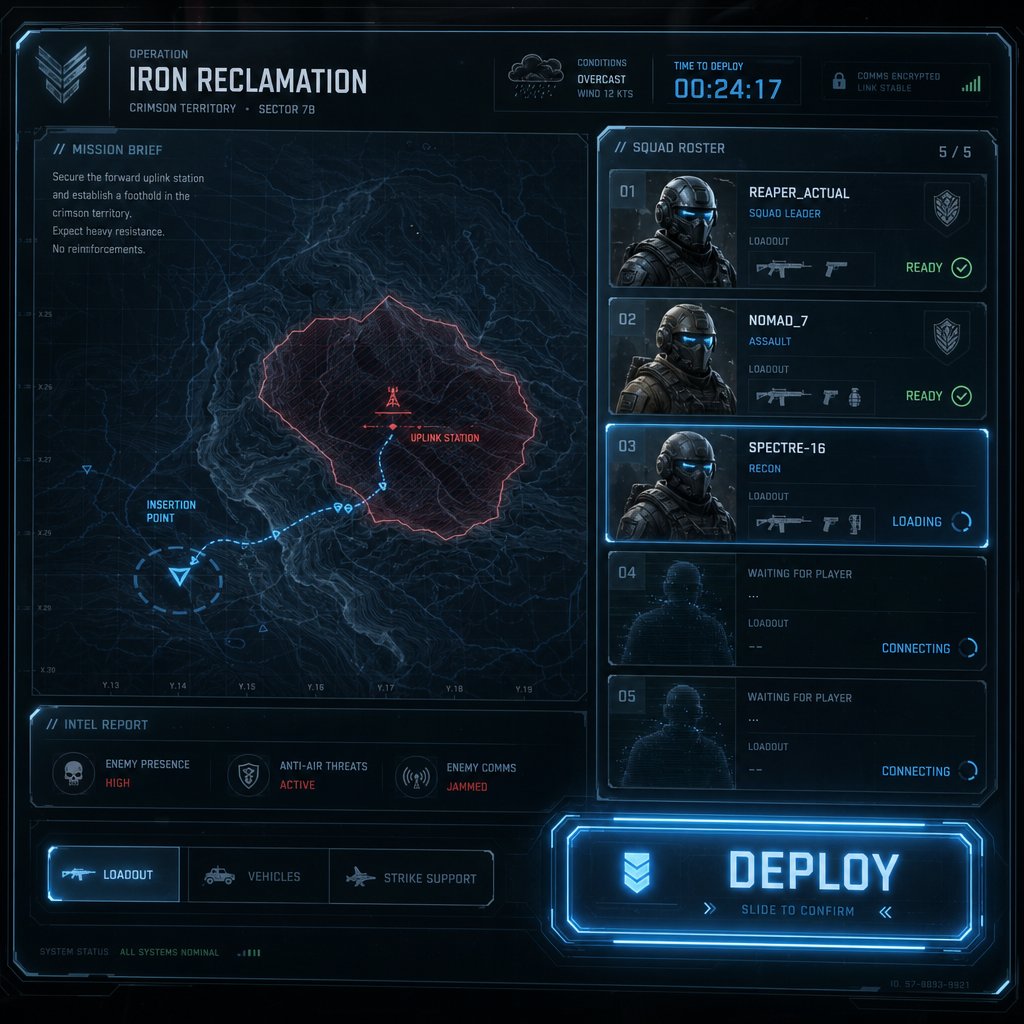
Knowing what auto match does is one thing. Seeing exactly where it lives in the UI and what happens after you flip it on is another. If you're loading into Arena Breakout: Infinite for the first time, the whole pre-raid lobby can feel cluttered with icons, tabs, and options competing for your attention. Auto matching is easy to miss, and just as easy to leave in the wrong state without realizing it.
Where to Find the Auto Match Option
The toggle sits on the deployment screen, the final lobby view you see right before committing to a raid. After selecting your operator, adjusting your loadout, and choosing a map, look toward the lower portion of the screen near the deploy button. You'll spot a small checkbox or toggle labeled "Auto Match." It's not buried in a settings menu or hidden behind a submenu. It's right there on the main staging screen, though its modest size means plenty of players scroll past it without a second glance.
For brand-new players, the option may already be enabled by default. That means your very first raid could drop you in with a squad of strangers before you even understand the maps or extraction points. Worth checking before you hit deploy.
The Matching and Loading Process
Once you tap that deploy button with arena breakout auto match turned on, the system kicks into a short sequence that happens mostly behind the scenes. Here's what the process looks like broken down into individual steps:
- Map and mode selection: You pick your target map and confirm your loadout. The game locks in your gear and map choice before matchmaking begins.
- Queue entry: The system places you in a matchmaking queue. A brief timer appears on screen while it searches for other solo players who also have auto match enabled on the same map and server region.
- Teammate assignment: The game groups you with up to three other players, forming a squad of up to four total. The arena breakout max squad size caps at four, matching the standard squad limit for pre-made groups as well.
- Squad confirmation: You'll see your assigned teammates' names appear in the squad panel. There's a short window here where the lobby finalizes before the raid loads.
- Raid deployment: The full server populates with multiple squads and solo players, and everyone loads into the map simultaneously. Your auto matched squad spawns together at the same insertion point.
Queue times vary depending on the time of day, your region, and which map you selected. Popular maps during peak hours tend to fill squads within seconds. Less popular maps or off-peak windows might leave you waiting a bit longer, and in some cases the system may deploy you with only one or two teammates instead of a full four-person squad if it can't find enough players quickly.
One detail that catches people off guard: you don't get to vet your teammates beforehand. There's no lobby chat, no gear inspection screen, and no option to reject a pairing. The system assigns your squad and moves straight into loading. You meet your teammates in the raid itself, which makes those first few seconds after spawning a critical moment for establishing communication and figuring out everyone's intentions.
That spawning-together detail matters more than it sounds. Dropping into the same location means your squad can move as a unit immediately, but it also means a poorly coordinated group can stumble into the same firefight with zero plan. The difference between a smooth auto matched raid and a chaotic one often comes down to what happens in those opening moments, which raises a bigger question: how does this experience actually compare to skipping the feature entirely and going in alone?
Auto Match vs Going in Completely Solo
These two options sit right next to each other on the deployment screen, separated by a single toggle. But the gameplay experiences they produce couldn't be more different. Using auto match to fill your squad and disabling it to enter a raid alone are fundamentally separate approaches to Arena Breakout: Infinite, each with its own risk profile, pacing, and tactical demands. A lot of players treat the choice as a minor preference. It's not. It reshapes how you play from the moment you spawn to the second you extract.
Auto Match With Random Teammates
Flipping auto match on means you're trusting the system to hand you a squad of strangers and hoping the group functions well enough to survive. Sometimes it works beautifully. You land with players who call out enemy positions, share meds, and cover angles during extraction. Other times, you spawn next to someone who sprints toward the nearest gunfire with no plan and gets the whole squad wiped in under two minutes.
That unpredictability is the defining trait of the arena breakout auto match experience. You gain extra firepower and more eyes watching flanks, which is a genuine tactical advantage in a game where a single ambush can end your raid. Engagements against enemy squads become more survivable when you have teammates drawing fire or pushing from a second angle. Looting high-value areas also feels less nerve-wracking when someone is holding a doorway while you search containers.
The tradeoff is coordination. Random teammates rarely communicate effectively, especially without pre-established callouts or a shared game plan. Friendly fire incidents happen. Players wander off in different directions. Someone might extract early and leave you exposed mid-fight. You're gaining bodies, but not necessarily gaining a team.
True Solo Queue Without Teammates
Turning auto match off drops you into the exact same raid, on the exact same server, against the exact same squads. The only difference is that you have nobody watching your back. Arena breakout solo mode is the purest and most punishing way to play the game.
Every firefight becomes a numbers problem. A full four-player squad can push you from multiple angles simultaneously, trade damage across teammates, and revive downed members. You get none of that. One mistake, one missed sound cue, one bad peek, and your raid is over along with whatever gear you brought in. The arena breakout infinite solo mode experience demands a completely different mindset: slower movement, more cautious positioning, and a willingness to avoid fights you can't win cleanly.
Yet plenty of experienced players swear by it. Going solo means zero loot competition within your group. Every item you find is yours. There's no teammate accidentally giving away your position by sprinting across open ground, and no risk of friendly fire confusion during a chaotic engagement. You move at your own pace, choose your own routes, and extract on your own timeline. For players who've learned the maps inside out and prefer stealth over brute force, solo raids can actually feel safer than rolling the dice on random squadmates.
Understanding how many players per map Arena Breakout loads into each raid puts the solo challenge in perspective. Depending on the map, a single server can hold anywhere from around 10 to over 20 players, split across squads of various sizes and other solo operators. Larger maps like Northridge tend to support higher player counts, while smaller maps pack fewer players into tighter spaces. Either way, a solo player is sharing that space with organized groups who have a built-in communication and firepower advantage.

Neither option is objectively better. They serve different goals and reward different skill sets. But the choice between them isn't just about comfort. It changes your loadout decisions, your route planning, and how aggressively you can play around high-traffic zones. And that raises a practical follow-up: does the game make this choice for you by default, or do you have full control over when auto match kicks in?

When Auto Match Activates and What Controls It
The short answer is yes, the game does make a default choice for you. And if you've never touched the setting, there's a decent chance you've been running squads with strangers without fully realizing why.
Default Settings and Manual Toggle
Arena Breakout: Infinite enables auto match by default for solo players. The first time you load into the deployment screen without a pre-made squad, that toggle is already flipped on. Unless you manually disable it, every solo raid you queue for will attempt to pair you with random teammates before dropping you into the map. Plenty of newer players don't catch this, which explains the occasional confused post asking why strangers keep spawning beside them.
Changing the setting takes about one second. On the deployment screen, locate the auto match checkbox near the deploy button and click it off. The game remembers your preference for future sessions, so you only need to adjust it once unless you want to switch back. There's no confirmation prompt and no penalty for toggling it either direction. You're free to flip between squad fill and true solo on a raid-by-raid basis.
As for game modes, the arena breakout infinite auto match feature applies to the standard raid mode, which is the core extraction gameplay loop. Limited-time events or special modes may handle squad formation differently, but the primary Dark Zone experience is where the toggle lives and where it matters most.
Matchmaking Factors and Teammate Pairing
Here's where things get murkier. The developers haven't published a detailed breakdown of what does auto match do in arena breakout at the algorithmic level, so separating confirmed mechanics from player observation requires some honesty about the gaps.
What we know for certain is that the system filters by two hard constraints: map selection and server region. You'll only be paired with players who chose the same map and are queuing on the same regional server. Beyond that, the finer details rely heavily on community testing and anecdotal patterns rather than official documentation.
Players have reported and speculated on several additional factors that may influence teammate pairing:
- Server region: Confirmed. You're matched with players on the same regional server, which keeps latency manageable and ensures everyone loads into the same instance.
- Map selection: Confirmed. Only players queuing for the identical map are eligible to fill your squad.
- Player level or account progression: Suspected but unconfirmed. Some players believe the system loosely groups accounts of similar progression tiers, though others report being matched with significantly higher or lower level teammates regularly.
- Gear value or loadout tier: Widely debated. A common theory suggests the system considers the total value of your equipped gear when forming squads. Hard evidence for this is thin, and many players have shared experiences of being grouped with teammates running drastically different loadout values.
- Queue timing and availability: Practically confirmed through experience. During off-peak hours or on less popular maps, the system prioritizes filling squads quickly over optimizing any secondary factors. This often results in wider skill and gear gaps between teammates.
The arena breakout infinite player count on PC means servers need to populate raids efficiently, so speed likely takes priority over precision in most matchmaking decisions. If the queue has four solo players ready on the same map and region, the system groups them and moves on. Waiting for a "perfect" skill or gear match would slow deployment times to a crawl, especially outside peak hours.
This lack of transparency around pairing criteria is part of why the auto match experience feels inconsistent from raid to raid. One session hands you a coordinated group that clears a building together. The next drops you with a player who goes AFK thirty seconds after spawning. The system fills your squad, but it doesn't guarantee quality, and understanding that distinction matters once you're actually inside the raid trying to work with whoever you've been assigned.
What Happens Inside a Raid With Auto Matched Teammates
The squad is formed, the map loads, and you spawn next to people you've never played with before. Whatever the matchmaking system did or didn't optimize for is now irrelevant. What matters from this point forward is how the game handles communication, combat rules, and loot between you and your randomly assigned teammates. These in-raid mechanics shape the entire auto match experience, and most of them aren't explained anywhere in the game's UI.
Voice Chat and Communication With Random Teammates
Arena Breakout: Infinite includes built-in voice chat for squad members, and it works the same way whether your group is pre-made or filled through auto match. Once you're in the raid, you can speak to your teammates through squad-wide voice communication. There's no proximity-only channel that limits your voice to nearby players on your team. If someone in your squad is across the map, they can still hear you, and you can hear them.
That sounds convenient on paper. In practice, the quality of communication with auto matched strangers varies wildly. Some players don't have microphones. Others have them but stay silent. A few blast music or leave hot mics picking up background noise. You can mute individual teammates through the squad panel if someone's audio becomes more of a distraction than a help.
A few practical habits go a long way when you're dropped in with strangers. Call out your intended direction right after spawning. Use short, clear descriptions for enemy positions rather than vague phrases like "over there." If nobody responds to voice, try pinging the in-game map or using quick markers to signal movement. Not every auto matched raid will have talkative teammates, but the ones that do tend to go significantly smoother. Even basic callouts like "enemy left side" or "I'm pushing upstairs" can prevent the kind of chaotic friendly fire incidents that ruin squad runs.
Friendly Fire and Loot Rules
This is where things get serious. Friendly fire is fully active in Arena Breakout: Infinite, and that applies to auto matched squads just as much as pre-made groups. Your bullets, grenades, and melee attacks can damage and kill your own teammates. There's no protective shield, no reduced damage, and no visual indicator that makes friendly players immune to your shots during a hectic firefight.
The game does have systems in place to discourage intentional teamkilling, though. If a player harms a teammate with a throwable, the security monitoring system automatically detects the behavior and blocks the offender from using any throwables for the next 20 minutes of that raid. The affected teammate gets a forgiveness prompt on screen, letting them choose whether to lift the restriction if the incident was clearly accidental. On the results screen after a raid, victims of teamkilling can also impose a loot ban on the offending player, preventing them from picking up anything off the victim's body. Reporting options exist for griefing and toxic behavior, with verified offenses leading to Merit deductions and potential matchmaking penalties that place repeat offenders into pools with similarly flagged players.
Loot distribution is entirely freeform. Nothing in the raid is instanced or reserved for specific squad members. Every container, loose item, and enemy body is fair game for whoever reaches it first. That means your auto matched teammate can absolutely grab the high-value item you spotted, and the game won't stop them. There's no formal loot-sharing mechanic, no roll system, and no split. It's first come, first served. Community etiquette generally suggests that whoever opens a container or kills an enemy gets first pick, but "etiquette" and "enforcement" are very different things when you're grouped with strangers.
Extraction follows the same independent logic. You don't need to leave the raid at the same time as your auto matched squad. Each player can head to an extraction point and pull out whenever they choose, regardless of what the rest of the team is doing. If you've filled your backpack and want to secure your loot, you can extract while your teammates are still fighting on the other side of the map. There's no shared extraction requirement and no bonus for leaving together. Your raid, your call.
Here's a quick summary of the rules that govern your experience with auto matched teammates once you're inside the raid:
- Voice chat: Squad-wide voice is available by default. You can mute individual players through the squad panel at any time.
- Friendly fire: Fully active. All weapons and throwables can damage and kill teammates with no reduced damage.
- Anti-griefing measures: Throwable blocks trigger automatically after teammate damage. Victims can forgive or maintain the restriction. Loot bans and reports are available on the results screen.
- Loot distribution: No instancing, no reservation. All loot is contested and available to any squad member on a first-come basis.
- Extraction: Fully independent. Each player extracts on their own timeline with no requirement to leave as a group.
- Teammate identification: Squad members are marked on your HUD to help distinguish them from enemies, though close-quarters chaos can still cause confusion.
These rules paint a clear picture: the game gives you teammates, but it doesn't babysit the relationship. Communication, trust, and situational awareness are entirely on you. And that reality feeds directly into one of the most persistent misunderstandings about the feature, where players assume auto match does far more than it actually does behind the scenes.
Common Misconceptions Players Get Wrong About Auto Match
Misinformation spreads fast in extraction shooter communities, and auto match has been a magnet for it since Arena Breakout: Infinite launched on PC. Steam forum threads asking about the feature routinely attract confident-sounding answers that are flat-out wrong. Players read those replies, repeat them in Discord, and suddenly a myth becomes accepted wisdom. Let's dismantle the biggest ones.
Auto Match Is Not Skill-Based Matchmaking
This is the single most common mix-up. Players see the word "match" and assume the system is evaluating their skill, rank, or performance history to decide who they play against. It isn't. Auto match handles one job: filling your squad with other solo players before the raid starts. That's a teammate assignment function, not a lobby balancing algorithm.
Skill-based matchmaking, if it exists in any form within Arena Breakout: Infinite, would operate at a completely different layer. It would determine which players share the same raid server, controlling the overall difficulty of the lobby. Auto match doesn't touch that layer. Whether you toggle it on or off, the pool of opponents you face in the raid is determined by separate server population logic. You could have it enabled and still land in a lobby full of heavily geared veterans, or disable it and end up in a relatively quiet server. The two systems are independent.
The confusion likely stems from other games where "matchmaking" is a catch-all term for everything the game does behind the scenes to build a session. In Arena Breakout, the label is narrower. Auto match fills your squad. Period. How many players play Arena Breakout in any given raid and what skill level they bring has nothing to do with that toggle.
Turning Off Auto Match Does Not Reduce Raid Population
This one pops up constantly. Players assume that going arena breakout solo by disabling auto match somehow places them in a less crowded instance, maybe a server with fewer squads or a lower total headcount. It doesn't work that way.
The number of players loaded into a raid is determined by the map and server capacity, not by your squad settings. A map designed to hold 20 players will still hold 20 players whether you're in a four-person auto matched squad or running completely alone. Your toggle changes your team composition. It doesn't send a request to the server asking for a gentler experience. The game fills the raid to its intended capacity regardless of how individual players have configured their squad preferences.
Think of it this way: the server doesn't care whether its 20 slots are filled by five four-player squads, ten duos, twenty solos, or any combination. It just fills slots. Your auto match setting only decides whether you occupy one of those slots alone or alongside randomly assigned teammates. How many people play Arena Breakout Infinite on any given map stays consistent no matter what you choose on the deployment screen.
The table below lays out the most widespread myths alongside what actually happens:

Every one of these myths traces back to the same root problem: players treating auto match as a broader matchmaking system when it's really just a squad-fill button. The feature's name doesn't help. "Auto Match" sounds like it's doing something sophisticated with algorithms and balancing. In reality, it's closer to a carpool lane. It groups people heading to the same destination and sends them off together. Nothing more.
Clearing up what auto match doesn't do makes the practical question sharper. If the feature is purely about whether you have teammates or not, then the decision to enable or disable it comes down to playstyle, loadout investment, and what you're trying to accomplish in a given raid.
Should You Use Auto Match or Queue Solo in Arena Breakout
Playstyle preferences aside, this decision has real consequences for your wallet. Every raid in Arena Breakout: Infinite puts your loadout on the line, and whether you bring teammates or go alone changes how much risk that loadout absorbs. The arena breakout auto match or solo question isn't philosophical. It's economic, tactical, and deeply personal to how you like to play extraction shooters.
When Auto Match Gives You an Advantage
Random teammates aren't always reliable, but they're almost always useful as a buffer. Even a mediocre squad absorbs attention, splits enemy focus, and gives you breathing room during the moments that matter most. Certain situations make that buffer worth the tradeoffs.
New players benefit the most. If you're still learning map layouts, extraction points, and loot routes, having other bodies around reduces the punishment for mistakes. You can follow a more experienced teammate's pathing, pick up on rotation habits, and survive encounters that would instantly end a solo run. The learning curve in Arena Breakout is steep, and auto match softens the fall while you're climbing it.
High-value gear runs are another strong case. Bringing expensive armor, modded weapons, and premium medical supplies into a raid feels a lot less nerve-wracking when three other players are covering angles and drawing fire. The arena breakout solo vs squad math shifts dramatically when your loadout costs six figures in Koens. Losing that kit because you got flanked with nobody watching your back stings far worse than splitting a few loot spawns with teammates.
Players who enjoy a social, reactive style of gameplay also tend to prefer auto match. Extraction shooters can feel isolating, and even imperfect coordination with strangers adds a layer of unpredictability that keeps raids from feeling repetitive. Some of the most memorable moments in Arena Breakout come from clutch revives, improvised flanks, and chaotic squad fights that you'd never experience alone.
When Solo Queue Is the Smarter Choice
Experienced players who know the maps cold often find random teammates more of a liability than an asset. If you've memorized loot spawns, extraction timings, and high-traffic zones, a stranger sprinting through an open field can compromise your carefully planned route in seconds. Stealth-focused operators especially suffer from unpredictable squadmates who don't share their patience.
Dedicated loot runs reward solo play heavily. When you're targeting specific containers, safes, or quest items, every second counts. You don't want to argue over who opens a locked room or watch a teammate grab the item you needed for a task. Solo means every piece of loot you touch is yours, and your route stays exactly as planned.
There's also a confidence factor. Players who've pushed past the roughly 30% solo survival rate and developed strong game sense often extract more consistently alone than with randoms who make unpredictable decisions. If you trust your own positioning and fight selection more than you trust a stranger's, turning off auto match removes the biggest variable from your raid.
Gear preparation shifts meaningfully between the two approaches. Squad play lets you run heavier, more aggressive loadouts because teammates can cover your movement and revive you if things go sideways. Solo demands lighter, more mobile kits. You need faster healing, quieter movement, and enough flexibility to disengage from any fight you can't win in the first few seconds. Budget-conscious players sometimes prefer solo specifically because it encourages cheaper, disposable loadouts rather than all-in investments.
Regardless of which path you choose, your loadout investment matters. Players preparing for either auto matched squads or solo raids need enough B Coins to outfit themselves competitively. VeloxGame's Arena Breakout Top Up offers a straightforward way to stock up on B Coins so you can focus on extraction strategy instead of currency grinding. Whether you're gearing up for a squad push or a stealth solo run, having your resources ready before you hit deploy keeps the decision about playstyle rather than about what you can afford.
Here's a ranked breakdown of the situations where each option makes the most sense:
- Use Auto Match when you're new to a map and still learning extraction routes and loot locations.
- Use Auto Match when running high-value loadouts that you can't afford to lose in a solo ambush.
- Use Auto Match when you want a more social, team-oriented raid experience with varied encounters.
- Use Auto Match when queuing into high-traffic maps like TV Station where squad firepower matters most.
- Go Solo when you know the map well enough to navigate, loot, and extract without guidance.
- Go Solo when running targeted loot or quest-item runs where sharing spawns costs you progress.
- Go Solo when your playstyle relies on stealth, patience, and avoiding unnecessary engagements.
- Go Solo when you'd rather run budget loadouts and minimize risk per raid instead of investing heavily.
Neither choice locks you in permanently. The toggle is right there on the deployment screen, and switching between auto match and solo on a raid-by-raid basis is one of the smartest habits you can build. Let the map, your loadout value, and your current objective drive the decision each time rather than defaulting to the same setting out of habit. That flexibility is what separates players who consistently extract from those who keep wondering why their survival rate won't climb.
Auto Match Quick Reference Summary
Seven sections is a lot of ground to cover, and not every player wants to re-read the full breakdown every time a question comes up mid-lobby. This section pulls every key detail into one place so you can bookmark it and check back whenever you need a quick refresher before hitting deploy.
Everything You Need to Know at a Glance
The table below covers every major aspect of the arena breakout auto match explained throughout this guide, from the basic definition to the in-raid rules that govern how you interact with randomly assigned squadmates.

That covers the full picture. Auto match is a straightforward squad-fill tool, nothing more and nothing less. The confusion around it comes from players expecting it to do things it was never designed to do. Use it when teammates help your objective, turn it off when they don't, and adjust raid by raid based on your map knowledge, loadout value, and goals.
Whatever you decide, showing up to a raid with the right gear makes the difference between extracting rich and losing everything. If you need to top up B Coins before your next run, VeloxGame's Arena Breakout Top Up keeps the process quick so you can spend your time on strategy instead of grinding currency.
Frequently Asked Questions About Auto Match in Arena Breakout
1. What does Auto Match do in Arena Breakout: Infinite?
Auto Match is a squad-fill feature that groups solo players with up to three random teammates before entering a raid. It does not affect lobby difficulty, opponent skill levels, or the total number of players on a map. Its only function is determining whether you deploy with randomly assigned squadmates or enter the Dark Zone alone. The toggle is located near the deploy button on the deployment screen and is enabled by default for solo players.
2. Is Auto Match the same as skill-based matchmaking in Arena Breakout?
No, these are completely separate systems. Auto Match only handles teammate assignment by filling your squad with other solo players queuing for the same map and region. Skill-based matchmaking, if present, would operate at the server population level to determine which opponents share your raid instance. Toggling Auto Match on or off has zero impact on the difficulty of players you face in a raid.
3. Can you kill your Auto Matched teammates in Arena Breakout?
Yes, friendly fire is fully active for all squads, including Auto Matched ones. Your bullets, grenades, and melee attacks deal full damage to teammates with no reduction. However, the game has anti-griefing measures: throwables are automatically blocked for 20 minutes after you damage a teammate with one, victims can impose post-raid loot bans on offenders, and repeated teamkilling leads to Merit deductions and potential matchmaking penalties.
4. Does turning off Auto Match put you in a less populated raid?
No. Map player counts are determined by server capacity, not your squad settings. A map designed to hold 20 players will still load 20 players regardless of whether you are in a full squad or completely solo. Disabling Auto Match only changes your team composition. It does not reduce the number of opponents, place you in a solo-only queue, or alter the raid instance in any way.
5. Should new players use Auto Match or go solo in Arena Breakout?
New players generally benefit from keeping Auto Match enabled. Random teammates provide a buffer while you learn map layouts, extraction points, and loot routes. Even imperfect squads absorb enemy attention and give you breathing room during fights. Solo play rewards map knowledge and strong game sense, which newer players typically haven't developed yet. Once you can consistently navigate maps and win selective engagements on your own, experimenting with solo raids becomes a viable and rewarding option.





