


The Short Answer on Xbox Availability
Yes, Zenless Zone Zero is on Xbox. HoYoverse's urban fantasy ARPG is available as a free download on Xbox Series X|S, and it can also be streamed through Xbox Cloud Gaming for Game Pass members.
Zenless Zone Zero on Xbox is confirmed and live for Series X|S owners — no guesswork required.
That single fact answers the core question most people land here with. Everything else in this guide exists to fill in the details that official store pages leave scattered across multiple sources.
Will Zenless Zone Zero Be on Xbox
If you've been searching "is zenless zone zero coming to xbox," the answer already arrived. The game's official Xbox storefront page lists it as available for Xbox Series X|S with support for 4K Ultra HD, HDR, and 60 FPS. It is free to download, and Game Pass Ultimate members receive recurring in-game rewards on top of that.
Is It Available on Xbox Series X and S
Specifically, both the Series X and Series S are supported. Xbox One, however, does not appear on any official platform list from either Xbox or HoYoverse. Treating Xbox One as unsupported is the safest assumption until a first-party source says otherwise. The distinction matters because a surprising number of forum threads conflate "is ZZZ on Xbox" with universal Xbox compatibility, and that leap is not backed by anything published so far.
What This Guide Confirms Right Away
Here are the three things worth knowing before you read further:
- Zenless Zone Zero is playable right now on Xbox Series X|S and via cloud gaming.
- Xbox One support has not been confirmed by Xbox or HoYoverse.
- Several related claims — Game Pass full inclusion, cross-generation access, older console ports — remain either misunderstood or unverified.
The rest of this article separates what official sources actually confirm from what social posts and reposted headlines have blurred together. That means specific console hardware, account linking behavior, region visibility, and a few persistent myths all get their own breakdown — each tied back to a verifiable source rather than speculation.
Which Xbox Consoles Actually Work
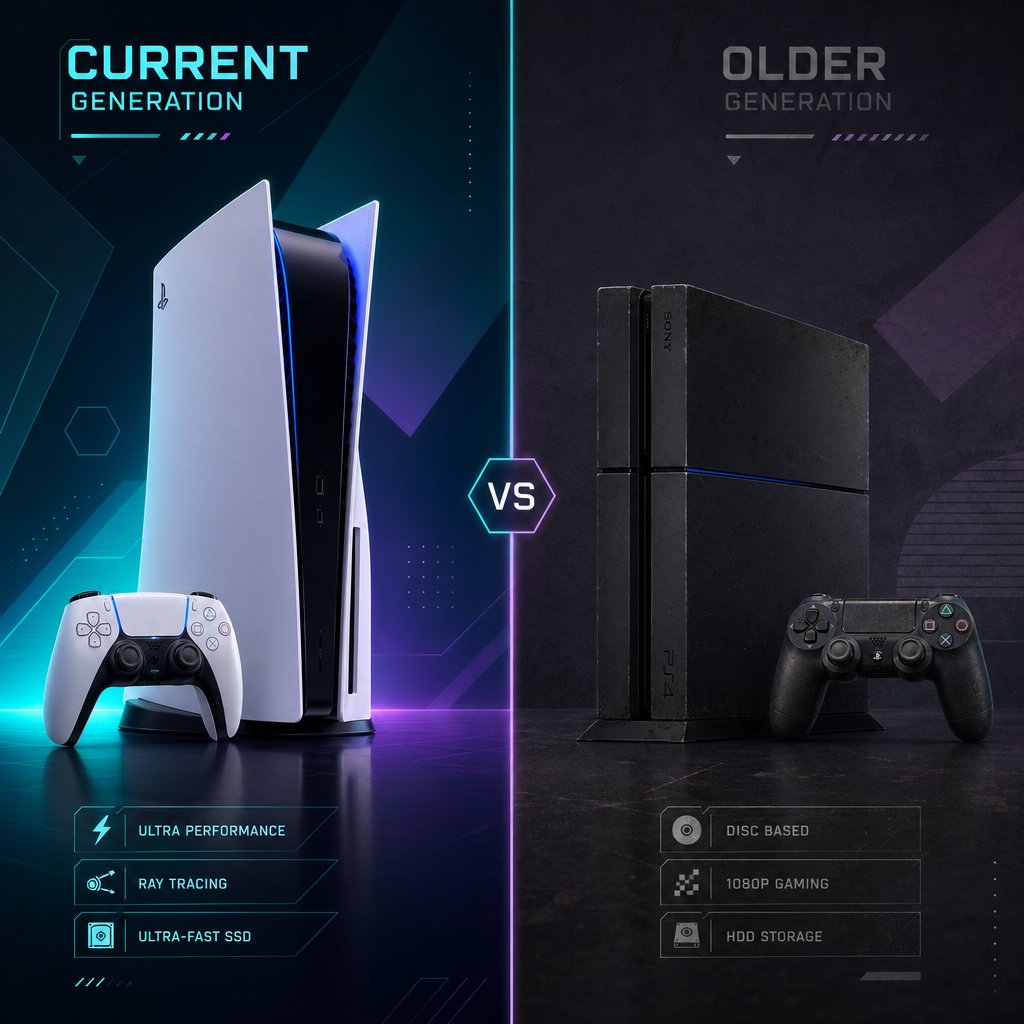
A game being "on Xbox" does not automatically mean it runs on every Xbox console ever made. That distinction trips up a lot of people. When someone searches for xbox zenless zone zero, they might own a Series X, a Series S, or an Xbox One collecting dust under the TV — and the answer changes depending on which one they're looking at.
Which Xbox Consoles Support Zenless Zone Zero
Only the current-generation hardware is supported. Xbox Wire's official announcement lists Xbox Series X|S and Xbox Cloud Gaming as the two supported Xbox paths. The game takes advantage of DirectX RayTracing, HDR, and native 4K at 60 FPS on Series X — features that rely on hardware the older generation simply does not have. Series S runs the game as well, though at its own performance tier as expected with that console's specs.
Why Xbox One Should Not Be Assumed
Neither Xbox nor HoYoverse has mentioned Xbox One in any official platform listing. This is consistent with how the game was built. Zenless Zone Zero launched on PS5 but skipped PS4 entirely, signaling that HoYoverse designed the title around current-gen hardware from the start. If you're holding out hope for an Xbox One port, there is nothing in the public record to support that expectation. Absence of confirmation is not the same as a denial, but it is also not a reason to wait around.
The table below lays out every platform players commonly ask about, with availability status pulled directly from official sources. Anything not confirmed is labeled accordingly — no speculation dressed up as insider knowledge.

How Xbox Compares With Other Platform Searches
Two of the most common companion questions to the Xbox search are "is zenless zone zero on PS4" and "is zenless zone zero on Switch." Both get the same short answer: no. The zenless zone zero PS4 situation mirrors Xbox One — the game was designed for newer hardware, and a last-gen PlayStation port has never been part of the conversation. As for the zenless zone zero switch question, HoYoverse has not released any of its recent titles on Nintendo's platform, making a Switch version unlikely based on the studio's track record alone.
It is also worth separating native platform support from controller compatibility. Some players see "Xbox controller supported" on a PC game page and assume that means a full Xbox console release exists. Those are two different things. Controller support on PC has been part of ZZZ since day one. Native Xbox console support arrived later, alongside the Version 2.0 update. Confusing the two leads to outdated forum posts that muddy the real picture.
With the hardware side sorted, the next useful layer is understanding where these platform details actually come from — and why different official sources answer different questions about the game.
What the Official Sources Actually Confirm
Different official pages serve different purposes, and mixing them up is one of the fastest ways to end up confused about what the zenless zone zero xbox release actually includes. Xbox's own channels handle availability and hardware specs. HoYoverse's channels handle account behavior and progression. Treating one as a substitute for the other leads to half-answers at best.
What Official Xbox Sources Confirm
The clearest confirmation of the game's Xbox status comes from Xbox Wire, Microsoft's first-party news outlet. That page spells out the supported hardware (Xbox Series X|S and Xbox Cloud Gaming), the pricing model (free to play), and the technical features players can expect — DirectX RayTracing, HDR, native 4K at 60 FPS, Quick Resume, and customized controller vibrations. It also details the Xbox Starter Pack pre-order and Game Pass Ultimate perks. For anyone who needed a zenless zone zero xbox release date, the Xbox Wire post confirmed June 6, 2025, alongside the game's Version 2.0 update. The Xbox Store listing mirrors this information and serves as the download point.
What Xbox sources do not cover is anything related to account linking, cross-progression mechanics, or server selection. Those details live somewhere else entirely.
What HoYoLab Explains About Account Behavior
HoYoverse published a dedicated FAQ on HoYoLab that reads like a companion piece to the Xbox Wire announcement. It walks through how Microsoft accounts link to HoYoverse IDs, what happens when progress does not sync, how to unlink accounts, and how purchases transfer between platforms. None of this information appears on Xbox's pages. If you only checked the storefront, you would know the game exists on Xbox but have no idea how to carry over an existing account.
The reverse is also true. HoYoLab's FAQ does not discuss hardware specs, Game Pass perks, or visual fidelity. It assumes you already know the game is available and jumps straight into operational details.
The table below maps out exactly what each source covers — and where the gaps are.

Confirmed Claims vs Unanswered Questions
Between these sources, the confirmed picture is solid: the game runs natively on Series X|S, streams via Cloud Gaming, supports cross-progression through HoYoverse ID linking, and offers exclusive Xbox perks. The zenless zone zero initial release date for the broader game was July 2024 on PC, mobile, and PS5, while the zenless release date for Xbox specifically landed in June 2025 with Version 2.0.
What remains unanswered is narrower than most forum threads suggest. No official source addresses Xbox One compatibility, future Game Pass catalog inclusion (as opposed to perks), or whether Cloud Gaming access will ever extend beyond Ultimate subscribers. Those gaps are small, but they are real — and filling them with assumptions is exactly how misinformation spreads.
Knowing which source to trust for which question is half the battle. The other half is understanding how account linking and progression actually work once you sit down with a controller in hand.
How Account Linking and Progression Work
Platform availability and account behavior are two separate problems. The first one is solved — ZZZ runs on Xbox Series X|S. The second one trips people up the moment they boot the game and realize their progress is nowhere to be found. Everything in this section comes from HoYoverse's official Xbox FAQ and the HoYoverse Help Center, not from Xbox's storefront pages, because Microsoft's side does not cover login mechanics at all.
How to Link ZZZ to a HoYoverse Account
The safest way to link ZZZ to a HoYoverse account on Xbox follows a specific order. Skipping steps or rushing through the first-launch prompts is how most players accidentally create a blank account and panic about lost data.
- Before touching your Xbox, confirm that your existing HoYoverse account is secured with an email address and password. You can check this through the HoYoverse Account site or in-game via Options > Account > User Center on whatever platform you currently play.
- On your Xbox, sign in with a Microsoft account that has never been used for any HoYoverse game. If your Microsoft account was previously linked to a different HoYoverse ID through Genshin Impact or Honkai: Star Rail, it will automatically bind to that ID — not the one you want for ZZZ.
- When Zenless Zone Zero launches for the first time, a pop-up will ask you to either create a new HoYoverse ID or log in with an existing one. Select "Already have an account? Log in directly" and enter the email and password tied to your main account.
- Verify that your progress loaded correctly by checking your UID and server. Open Options > Account > User Center on Xbox to confirm the linked HoYoverse ID matches your primary account.
One Microsoft account links to one HoYoverse ID, and vice versa. There is no way to attach multiple IDs to a single Microsoft login. If you need to switch, you can unlink once through the HoYoverse Account website — but only once per Microsoft account, so treat that option carefully.
What Progress Carries Over Between Platforms
A common question is "is ZZZ cross platform" in the sense of shared saves. The answer is yes, but with a condition that catches people off guard: cross-progression works across Xbox, PC, mobile, and PS5 only when every device is logged into the same HoYoverse ID on the same server. Your America server progress will not appear if you accidentally select the Europe server on Xbox. Different servers cannot exchange data, period.
Items from top-ups — Monochromes, Inter-Knot Memberships, and similar purchases — do carry over between platforms once accounts are linked. So zenless zone zero crossplay in the social sense works too: you can add friends from any platform to your Game Friends list, regardless of whether they play on PC, mobile, PS5, or Xbox. The Xbox version also has a separate "Xbox Network Friends" tab that shows your Xbox friends who play ZZZ on the same server.
Worth clarifying: cross-progression and cross-platform access are related ideas but not identical. Cross-progression means your save data follows you. Cross-platform access means the game exists on multiple devices. A game can have one without the other. ZZZ has both, but only if the account linking is done correctly first.
Login Errors Players Should Avoid
The most reported zenless zone zero login issue on Xbox is accidental account creation. If you tap through the first-launch prompt too quickly and select "Create HoYoverse ID now" instead of logging in with an existing account, the game generates a fresh ID tied to your Microsoft account. Your old progress is not gone — it still lives on your original HoYoverse ID — but your Microsoft account is now bound to the wrong one.
Fixing this requires a three-step process outlined in the Help Center: secure the accidental account with an unused email, unlink your Microsoft account from it via the HoYoverse website, then relaunch the game and log in with your real credentials. It works, but it burns your one-time unlink for that Microsoft account.
Another pitfall involves PSN-to-Xbox transfers. A PSN account's store region locks you to a specific ZZZ server, while Microsoft accounts let you choose freely. If your PSN region maps to a different server than the one you select on Xbox, your progress will not appear even though the account link is technically correct. HoYoverse publishes a PSN region-to-server mapping for exactly this scenario.
Getting the account side right on the first try saves real headaches. But even with a perfectly linked account, some players still run into confusion when the Xbox Store itself does not show what they expect — and that has more to do with where they are than what they own.
Region Rollout and Store Visibility
Store listings are not universal. Two players searching for zenless xbox at the same time can see completely different results depending on where their Microsoft account is registered, what region their console is set to, and how the storefront indexes new titles in their locale. This does not necessarily mean the game is restricted — it often just means the listing has not surfaced the same way everywhere.
Why the Xbox Store May Look Different by Region
The Xbox Store tailors what it displays based on your console's location setting and your Microsoft account's country or region. Microsoft's own support documentation explains that items available in one region might not appear — or might not work the same way — in another. A mismatch between your account region and your console's language and location settings can hide listings entirely, even for free-to-play titles. The zzz xbox release is live on the storefront, but if your region settings are out of sync, the page may not show up in a standard search.
How to Read Availability Wording Carefully
A missing storefront result is not the same as a confirmed region block. Check your own settings before concluding the game is unavailable.
Before assuming the worst, run through this quick checklist:
- Confirm your Xbox console's location matches your Microsoft account region under Settings > System > Language & location.
- Search for the game by its full title, "Zenless Zone Zero," rather than abbreviations the store may not index.
- Check the official Xbox game page directly in a browser to verify the listing exists outside your console's store app.
- Review your account's server selection in-game — visibility on the storefront and server availability are separate things.
- Distinguish between a native console download and alternative access through zenless zone zero cloud gaming, which routes through Game Pass Ultimate and may have its own regional availability rules.
Native Xbox Access vs Cloud Workarounds
Players sometimes conflate two different paths. A native xbox zzz install means downloading the game directly to a Series X|S console. Zzz cloud gaming, on the other hand, streams the game from Microsoft's servers — no local install needed, but it requires a Game Pass Ultimate subscription and a stable internet connection. Both options exist, but they do not share identical regional footprints. Cloud Gaming availability depends on Microsoft's streaming infrastructure in your area, which is a separate rollout from the console storefront.
If the store looks wrong, the fix is almost always a settings check — not a sign that the game skipped your country. Misreading rollout language is one thing; building assumptions on top of it is where real confusion starts, and that is exactly what the next section tackles head-on.
The Myths That Create Most Xbox Confusion
Bad assumptions spread faster than patch notes. A handful of recurring misconceptions about Zenless Zone Zero on Xbox keep circulating through forums, social threads, and comment sections — and most of them stem from misreading one detail and extrapolating the rest. Here is where each myth comes from and why it falls apart under even light scrutiny.

Game Pass Perks Are Not the Same as Full Inclusion
This one deserves extra emphasis because it shapes spending decisions. A game being "in Game Pass" and a game offering "Game Pass perks" are structurally different. Catalog titles can be played only while your subscription is active. ZZZ is free for everyone regardless of subscription status. The Game Pass Ultimate tie-in simply adds login rewards after each version update. You lose nothing by letting your subscription lapse — the game and your progress stay exactly where they are.
Controller Support Does Not Equal Every Xbox Console
The zenless zone zero xbox controller experience on Series X|S is genuinely polished. Customized vibration feedback differentiates Basic Attacks from Special Attacks, and the layout feels native rather than mapped from a keyboard scheme. But players who saw "controller supported" on the PC store page months before the Xbox launch sometimes assumed a console version already existed. It did not. PC controller compatibility and a native Xbox release are independent features that happened to arrive at different times.
Free to Start Does Not Remove Platform Limits
Is ZZZ free? Yes — on every platform where it is available. That qualifier matters. A free price tag does not override hardware requirements. The game still needs Series X|S or a supported PC, mobile device, or PS5 to run. And "free" describes the entry point, not the entire economy. Optional purchases exist, the battle pass exists, and top-ups exist. None of them are required to play, but pretending they do not exist misrepresents the model.
Every myth in this list traces back to the same root problem: taking one real detail and stretching it past what the source actually said. The fix is simple — check the official page, read what it states, and stop where the text stops. That same principle applies whether you are sorting out platform confusion or figuring out what to do next on a platform you already play on.
Practical Options While You Still Play Elsewhere
Sorting out Xbox availability is useful, but plenty of readers landing on this page already have a live ZZZ account on another device. Maybe Xbox is the eventual goal, or maybe it is just not the right fit yet. Either way, your account does not have to sit idle while you figure out platform logistics.
What to Do If Xbox Is Not Your Main Platform
Is zenless zone zero on PC? Absolutely — and it has been since the original July 2024 launch. If you want to know how to play ZZZ on PC, the process is straightforward: download the HoYoPlay launcher from the official ZZZ site, install the client, and log in with your HoYoverse ID. The Epic Games Store is another option for how to download zenless zone zero PC. Mobile players on iOS and Android have had access from day one as well. Regardless of which device you use, your progress syncs across all supported platforms through the same HoYoverse account covered earlier in this guide.
How to Keep a Live ZZZ Account Moving
Limited-time banners do not wait for platform decisions. If a character you want is on rotation, the practical move is to top up on whatever platform you are already playing. Monochrome — the premium currency — works the same way whether you purchase it on ZZZ PC, mobile, or through a third-party top-up service. Purchases tied to your HoYoverse ID carry over when you eventually switch devices.
Resource Options for Monochrome Top-Ups
Players sometimes look for a zenless zone zero gift card or browse the zzz shop for deals outside the in-game store. Third-party top-up platforms can be a practical alternative, especially when regional pricing or payment method availability is a factor. A few options worth checking:
- VeloxGame's Zenless Zone Zero Monochrome Top-Up — delivers Monochrome directly to your account using your UID and server. Supports multiple pack sizes from 60 up to 6,480+1,600 Monochromes, and first-time top-up bonuses still apply if you have not purchased before. Confirm your UID and server region before completing any order.
- The in-game store on your current platform (PC, mobile, or PS5).
- Platform-specific storefronts like the App Store or Google Play, which may offer region-specific payment options.
Whichever route you choose, double-check that your HoYoverse ID and server details are correct before spending. A mismatched server means the Monochrome lands on the wrong account — and that is a support ticket nobody wants to write.

What to Watch Before Choosing a Platform
If you searched "when is zenless zone zero coming to xbox" or some variation of "is zzz coming to xbox," the answer is already settled. The game launched on Xbox Series X|S and Xbox Cloud Gaming alongside its Version 2.0 update. Everything else — Xbox One, Switch, older PlayStation hardware — remains unconfirmed or explicitly unsupported.
Platform Decision Checklist
Before you download, switch platforms, or link an account, run through these steps in order:
- Verify you own an Xbox Series X or Series S. Xbox One is not supported.
- Check the Xbox Store listing in your region to confirm the download is visible.
- If you have an existing HoYoverse account, secure it with an email and password before launching on Xbox.
- On first launch, select "Log in" — not "Create new account" — to avoid binding your Microsoft account to a blank ID.
- Confirm your server matches the one you use on other platforms. Mismatched servers hide your progress.
Which Signals Are Worth Trusting
Stick to two sources. Xbox Wire answers hardware, availability, and Game Pass perk questions. HoYoLab answers account linking, progression, and login questions. Forum posts, reposted screenshots, and social threads are fine for community discussion — but they are not where you verify platform status. If something changes down the line, those two official channels will reflect it first.
A Clear Takeaway for Xbox Searchers
Zenless Zone Zero is available on Xbox Series X|S right now, free to download, with cross-progression for anyone who links their HoYoverse account correctly.
That single sentence covers what most people came here to find out. For anyone still wondering when will ZZZ be on Xbox — it already is. The only real question left is whether you will zzz come to Xbox as a new player or carry over an existing account, and this guide has walked through both paths. Bookmark the official sources listed above, check back after major updates, and let the verified details do the talking.
Frequently Asked Questions About Zenless Zone Zero on Xbox
1. Is Zenless Zone Zero free on Xbox?
Yes, Zenless Zone Zero is completely free to download and play on Xbox Series X|S. Game Pass Ultimate subscribers receive bonus in-game perks like Polychromes and Dennies after each major version update, but a subscription is not required to access the game itself. Optional in-game purchases such as Monochrome top-ups and the Inter-Knot Membership battle pass exist, though none are mandatory to progress through the story or gameplay.
2. Can I play Zenless Zone Zero on Xbox One?
No, Xbox One is not a supported platform. Neither Xbox nor HoYoverse has listed Xbox One in any official announcement. The game was built around current-gen hardware features like DirectX RayTracing, native 4K rendering, and 60 FPS — capabilities that Xbox One cannot deliver. This mirrors the PS5-only approach on the PlayStation side, where PS4 was also excluded. Unless a first-party source confirms otherwise, Xbox One should be considered unsupported.
3. Does Zenless Zone Zero support cross-progression between Xbox and other platforms?
Cross-progression works across Xbox, PC, mobile, and PS5, but only when every device is logged into the same HoYoverse ID on the same server. Before launching ZZZ on Xbox for the first time, secure your existing HoYoverse account with an email and password, then select the login option rather than creating a new account. Purchases like Monochromes also transfer between platforms once accounts are properly linked. Players looking to top up while on another platform can use services like VELOX's Zenless Zone Zero Monochrome Top-Up at veloxgame.com to keep their account moving.
4. Why can't I find Zenless Zone Zero on the Xbox Store in my region?
A missing search result usually points to a settings mismatch rather than a regional block. The Xbox Store tailors listings based on your console's location setting and your Microsoft account's registered country. Confirm both match under Settings > System > Language & location, then search using the full title rather than abbreviations. You can also visit the official Xbox game page in a browser to verify the listing exists outside your console's store app.
5. Is Zenless Zone Zero part of Xbox Game Pass?
ZZZ is not a Game Pass catalog title — it is a standalone free-to-play game available to everyone on Xbox Series X|S. However, Game Pass Ultimate members get recurring in-game reward bundles after each major version update, and the game can be streamed through Xbox Cloud Gaming with an Ultimate subscription. The distinction matters because letting your Game Pass subscription lapse does not remove access to the game or your progress.





